
CISCO iPhone connection tutorial
Note: You must enter your password each time you connect to Cisco because only the username and server are stored in the program.
3
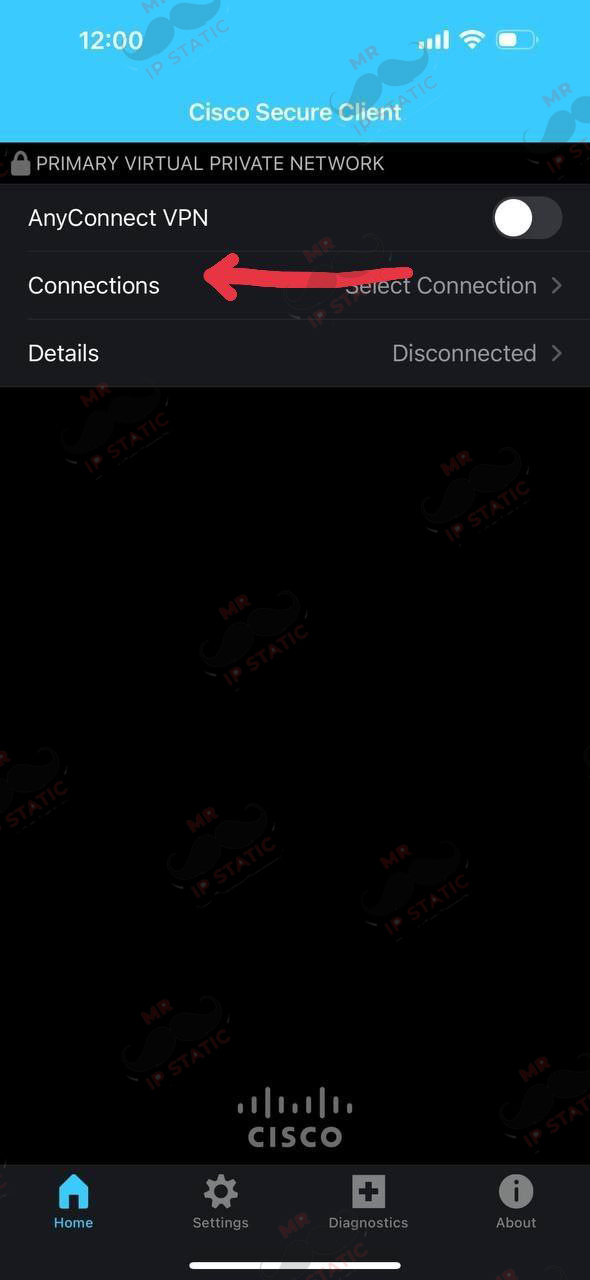
Select the Connections option.
2
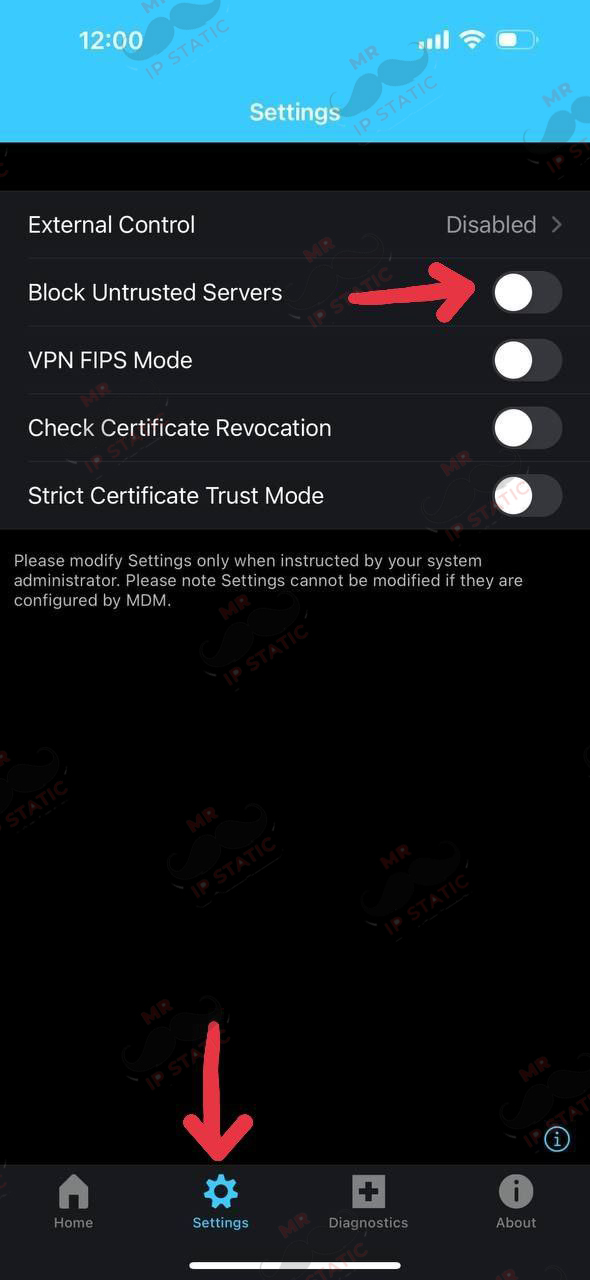
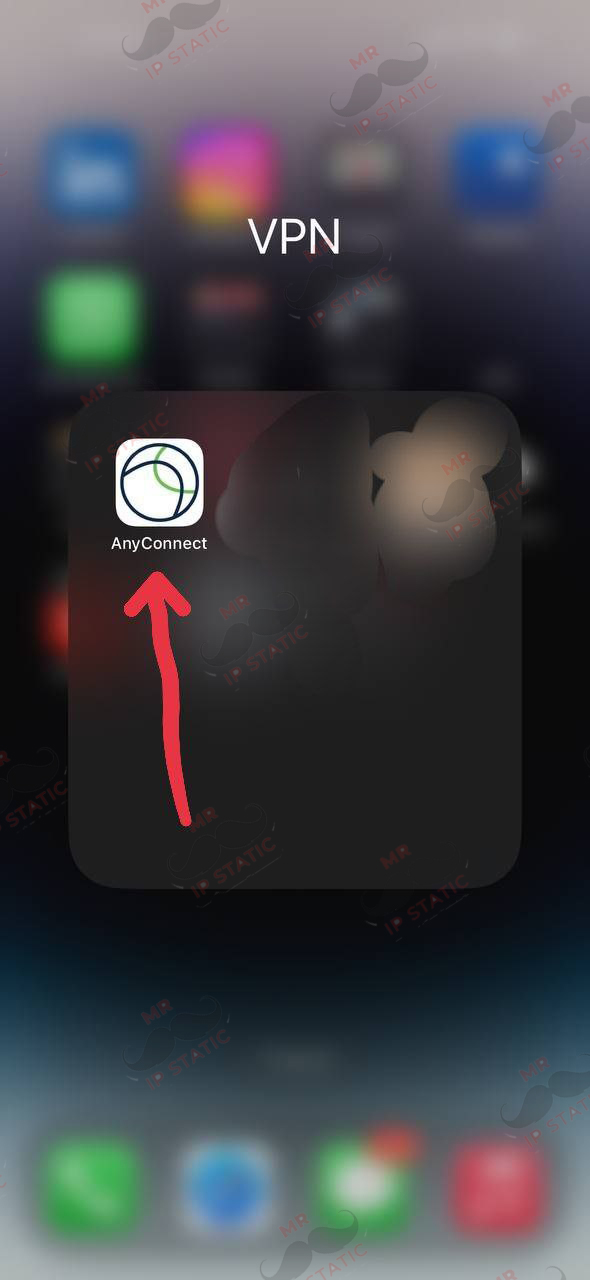
Enter the program and disable the Block Untrusted Servers option in the settings menu at the bottom of the screen and return to the home menu.
6
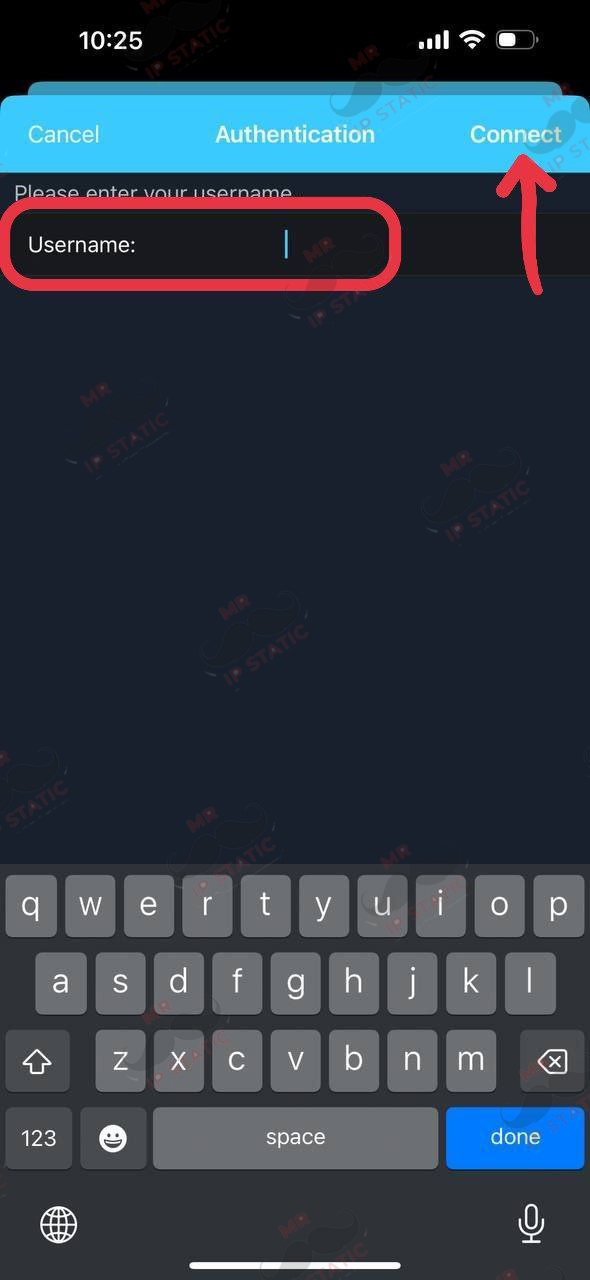
In this section, enter the username you purchased and click the CONNECT option at the top of the page.
5
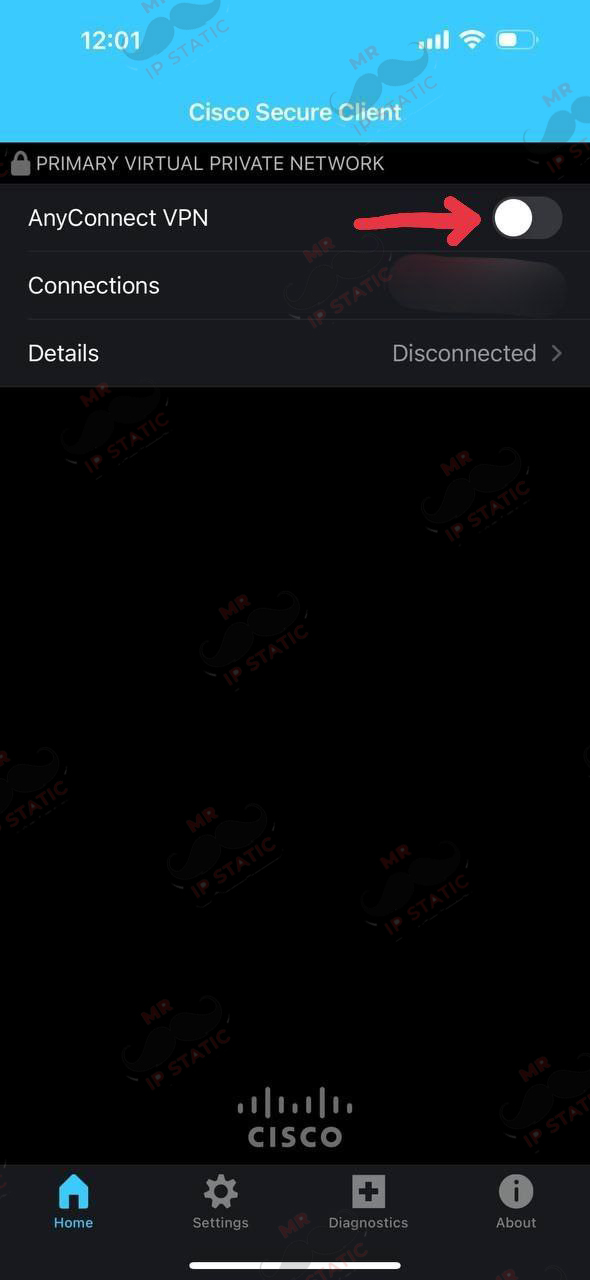
In this section, click the Connect option.
4
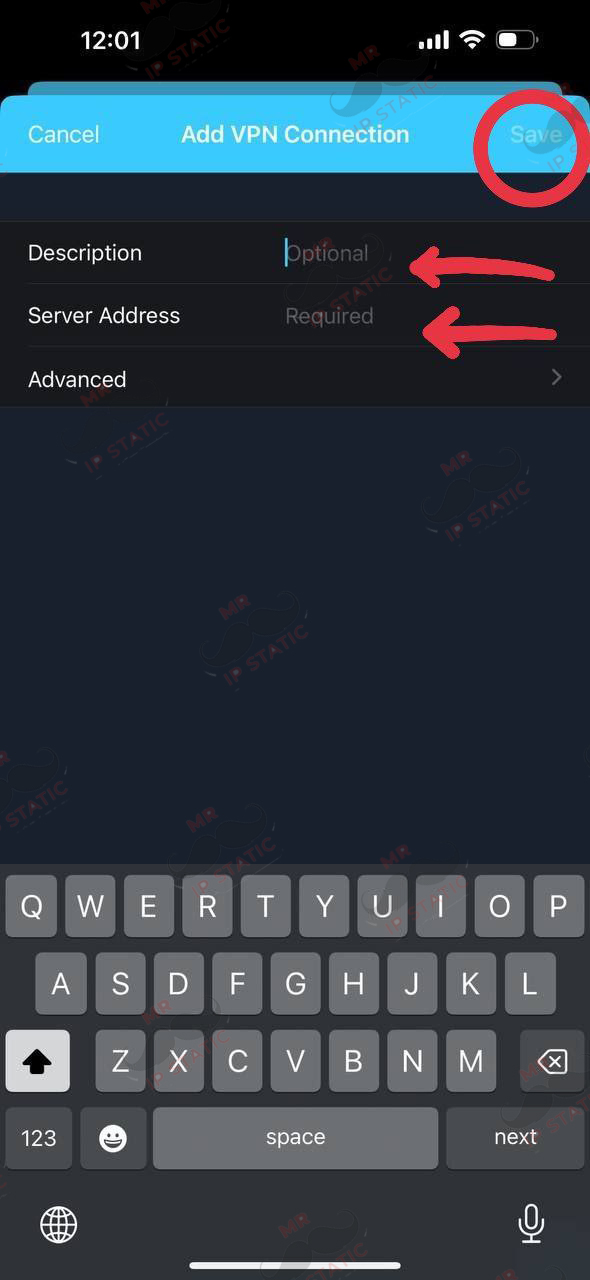
In the Description option, enter the desired name and in the Server Address option, enter the server you purchased and click the SAVE option at the top of the page.
7
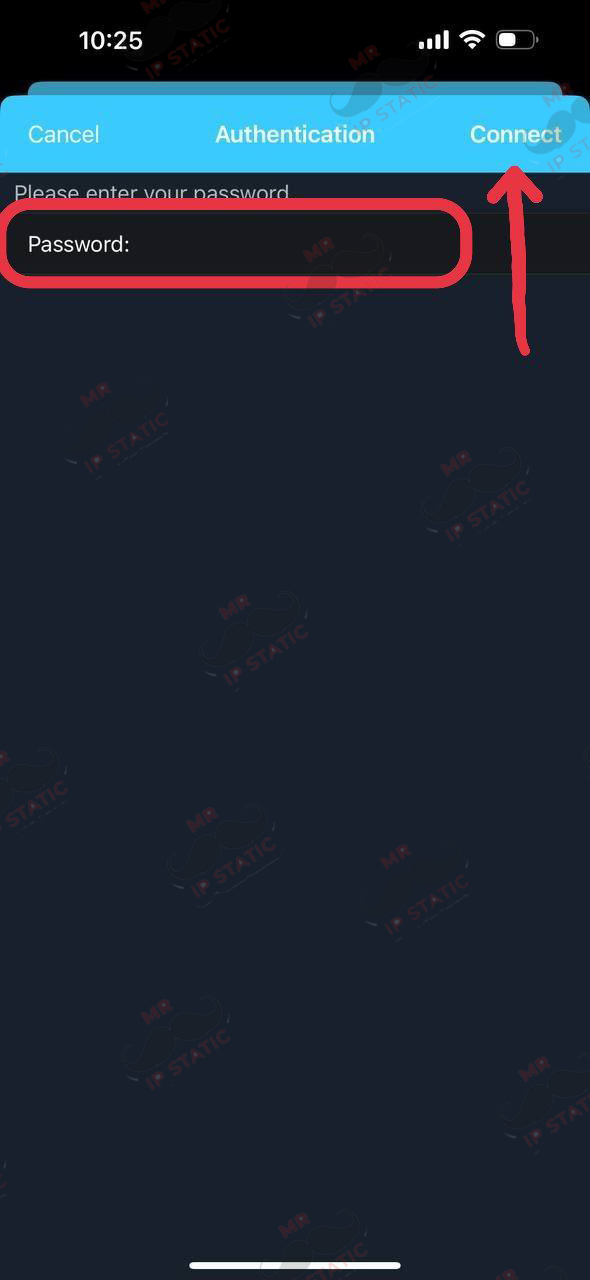
In this section, enter the password you purchased and click the CONNECT option at the top of the page.