

How to connect Open VPN to Android
3
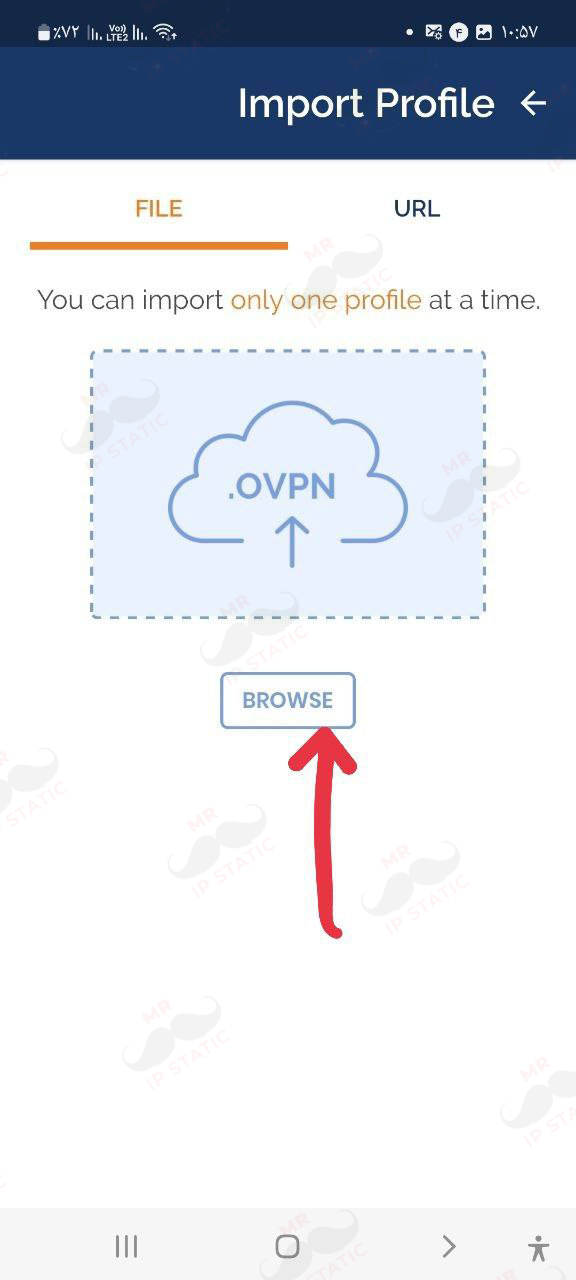
Select the BROWSE option.
2
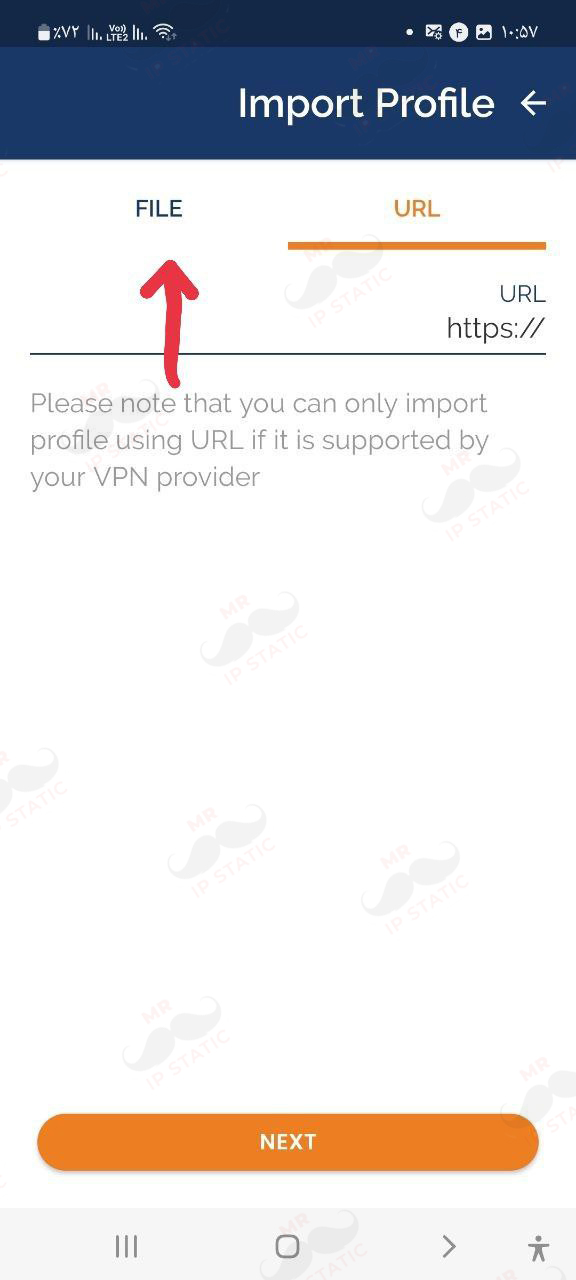
Log in to the application and select the FILE tab.
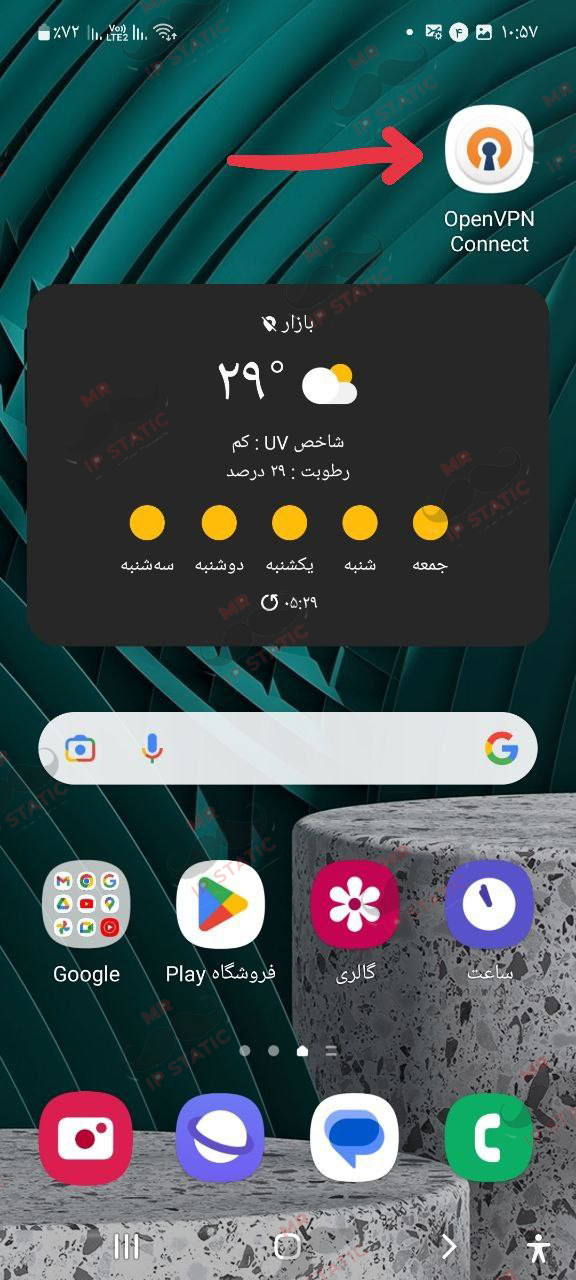
6
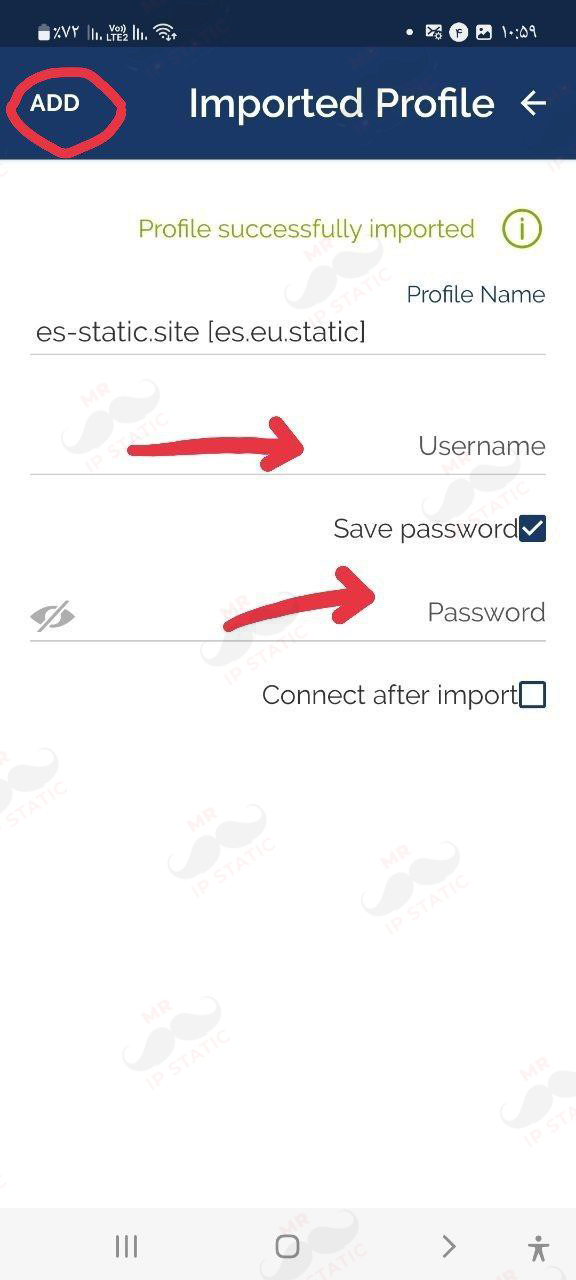
In this section, just enter your username and password that you purchased and click ADD at the top of the page.
5
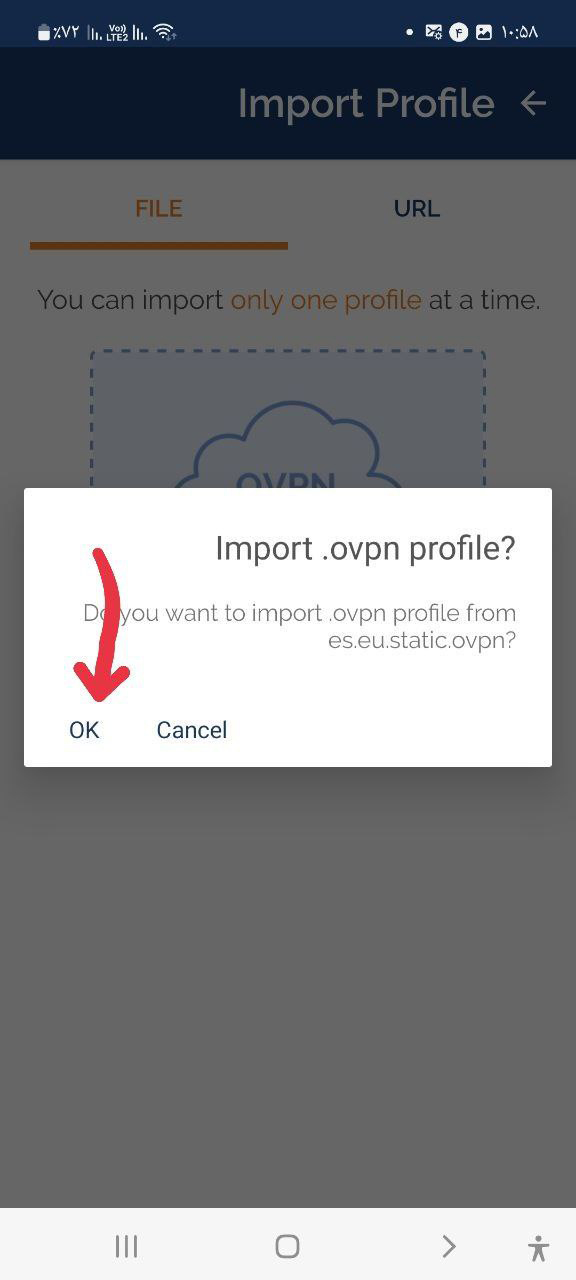
After selecting the above permission configuration file, you will be shown the following screen, which you must click OK.
4
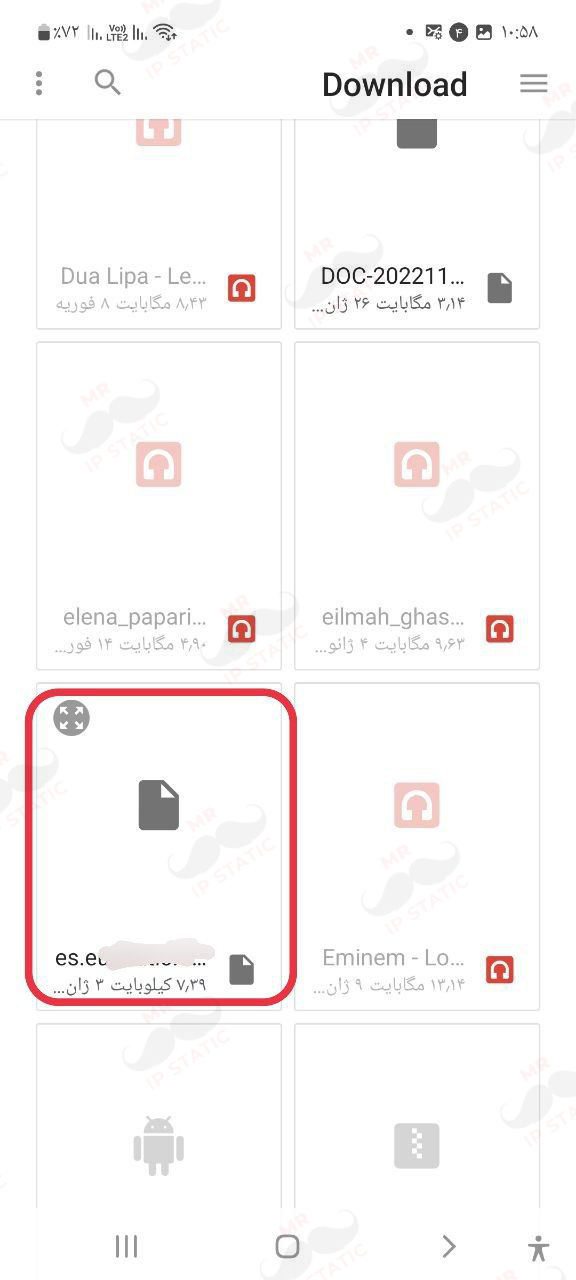
Find and select the OPEN VPN configuration file in your phone's personal files.
(The configuration file will be provided to you after purchase)