
CISCO Windows Connection Tutorial
Note: You must enter your password each time you connect to Cisco because only the username and server are stored in the program.
2
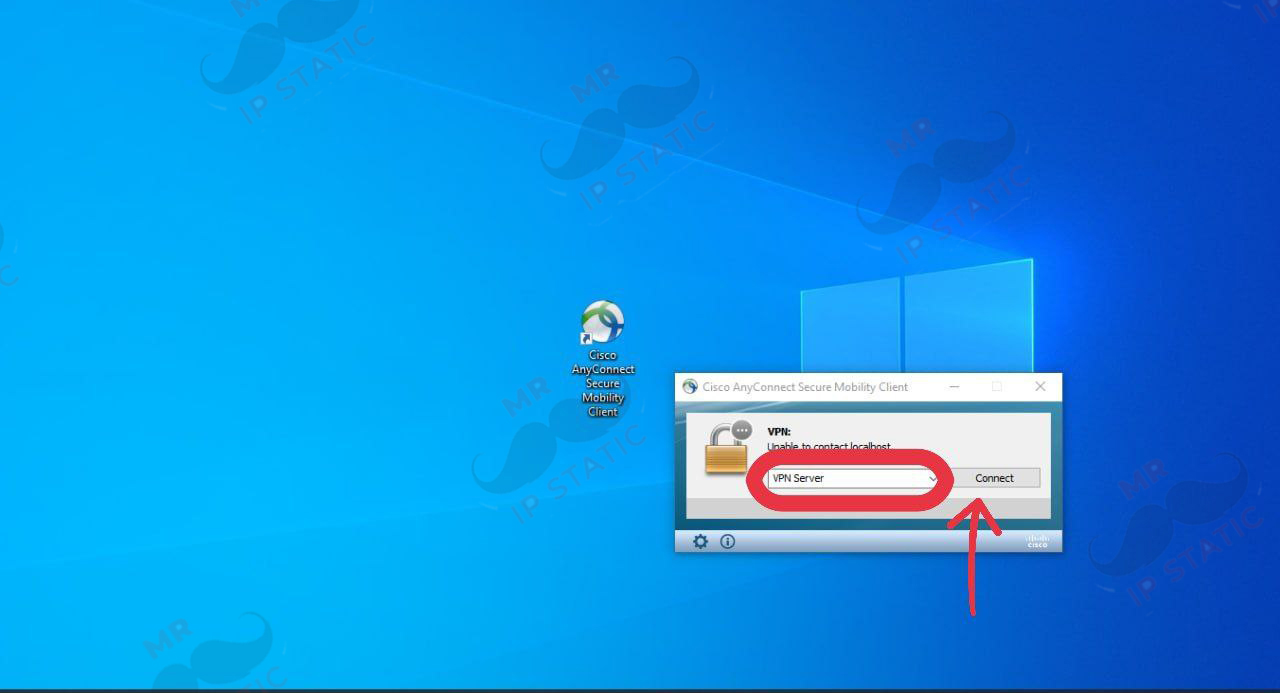
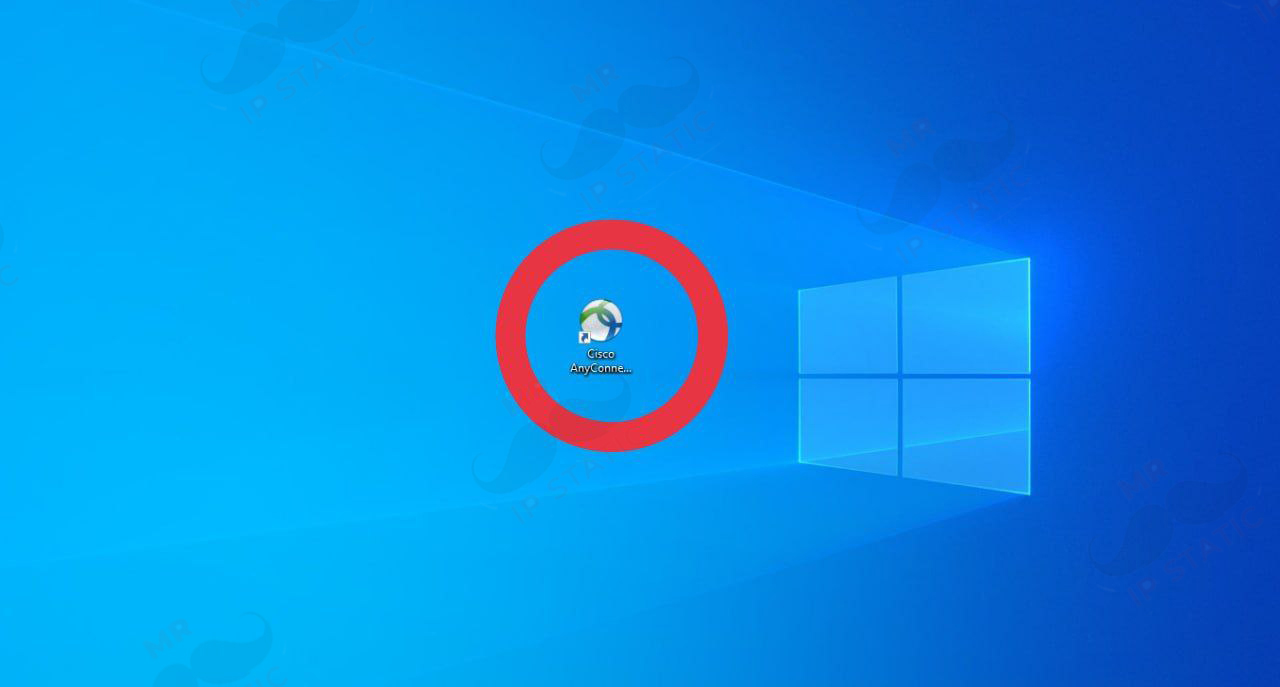
Run the program and in the window that opens, write your server and click Connect.
4
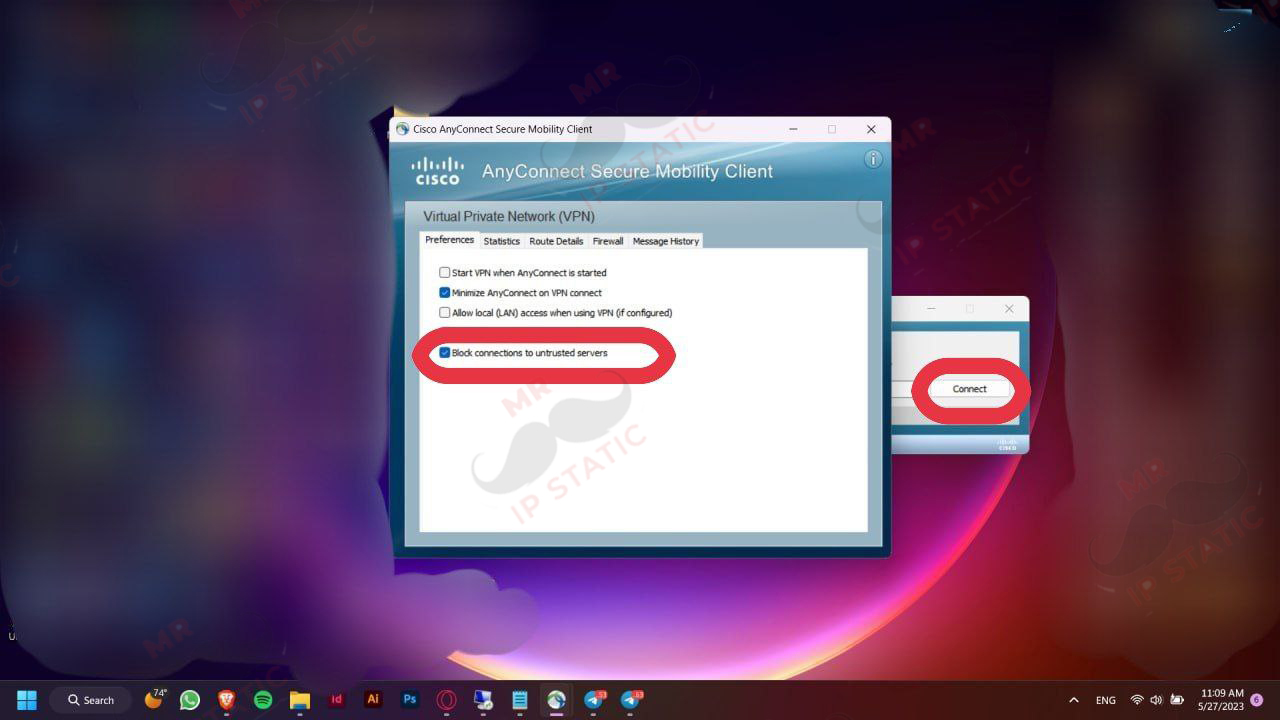
Uncheck the Block connections to Untrusted Servers option and click the connect option as shown in the image.
3
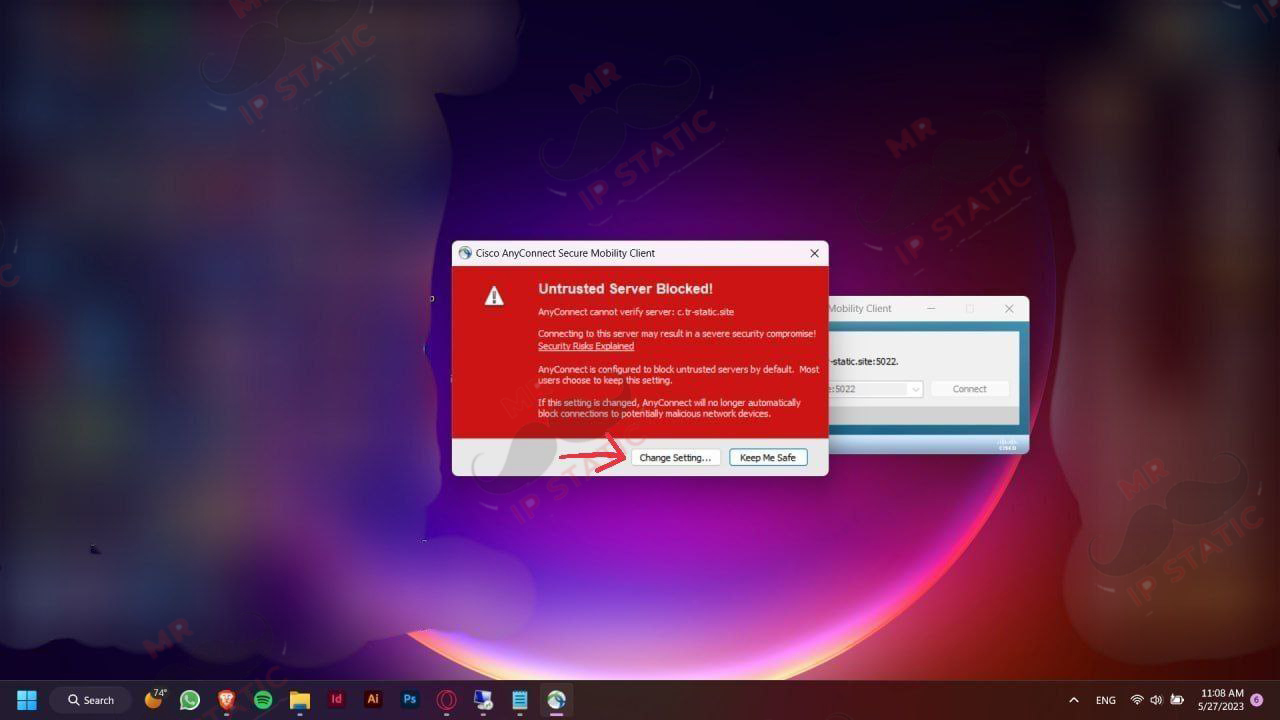
In the displayed message, click Change Settings.
6
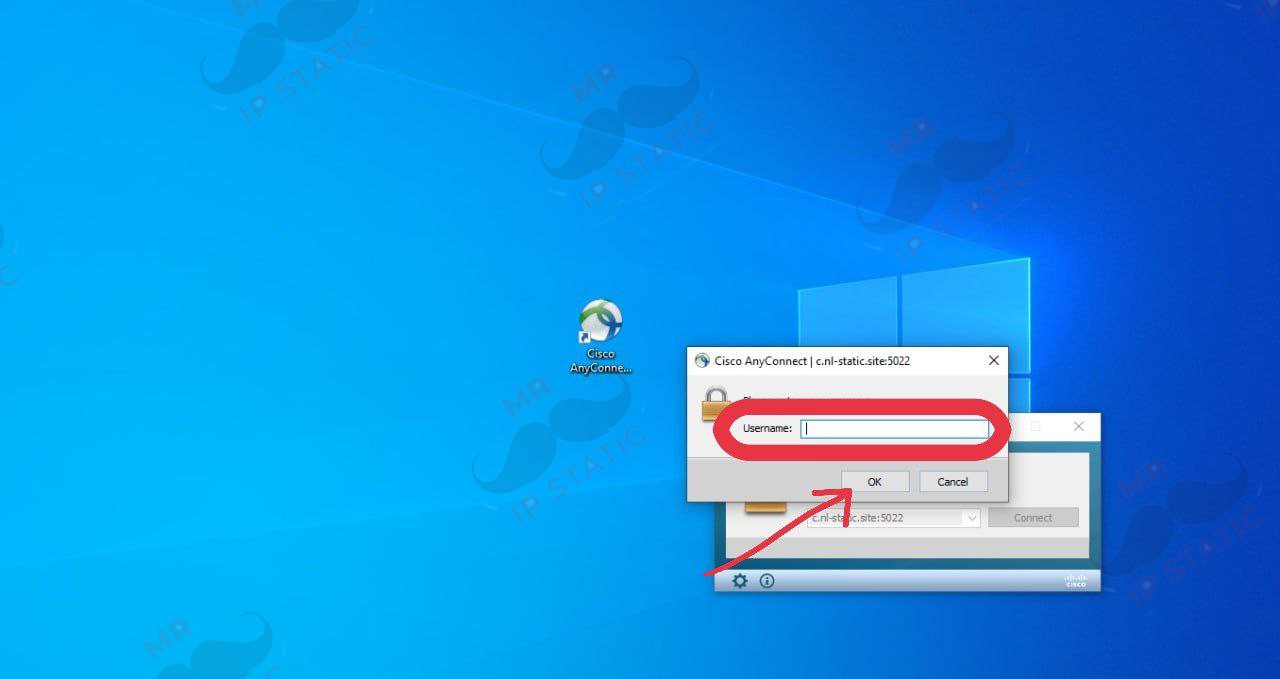
In this section, enter the username you purchased and click OK.
5
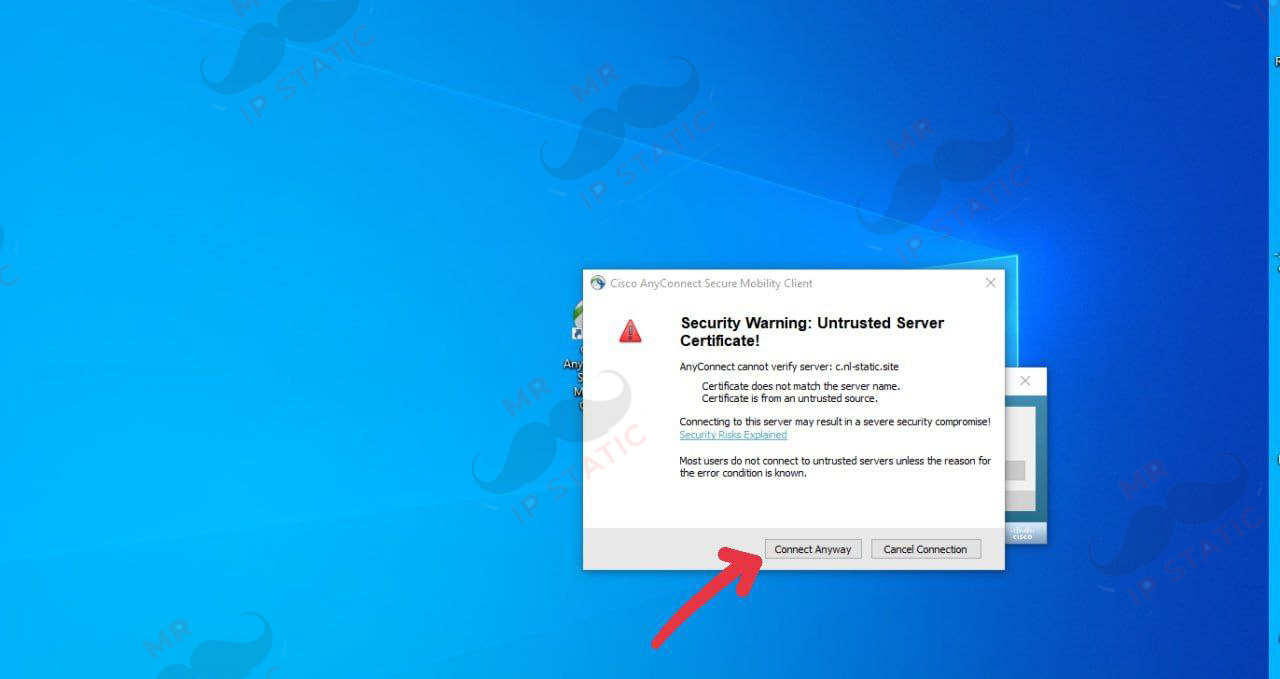
In the displayed permission, click Connect Anyway.
7
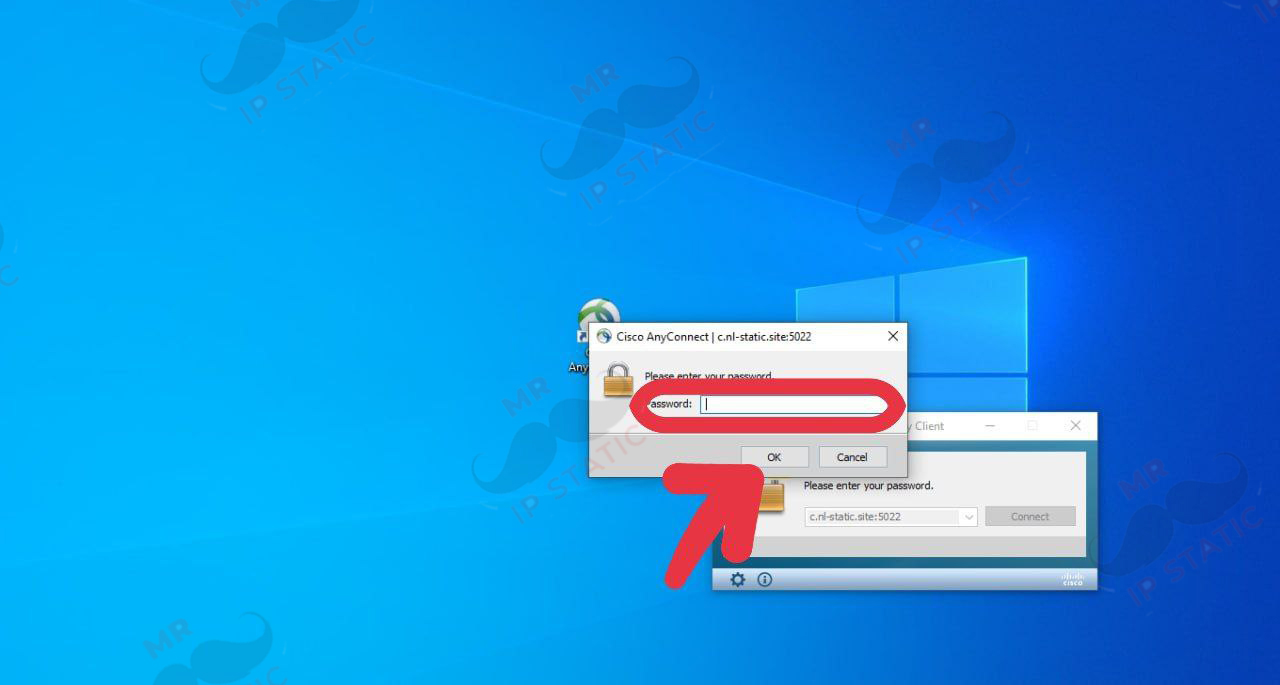
In this section, enter the password you received and click OK.