

IKEV2 Windows connection tutorial
2
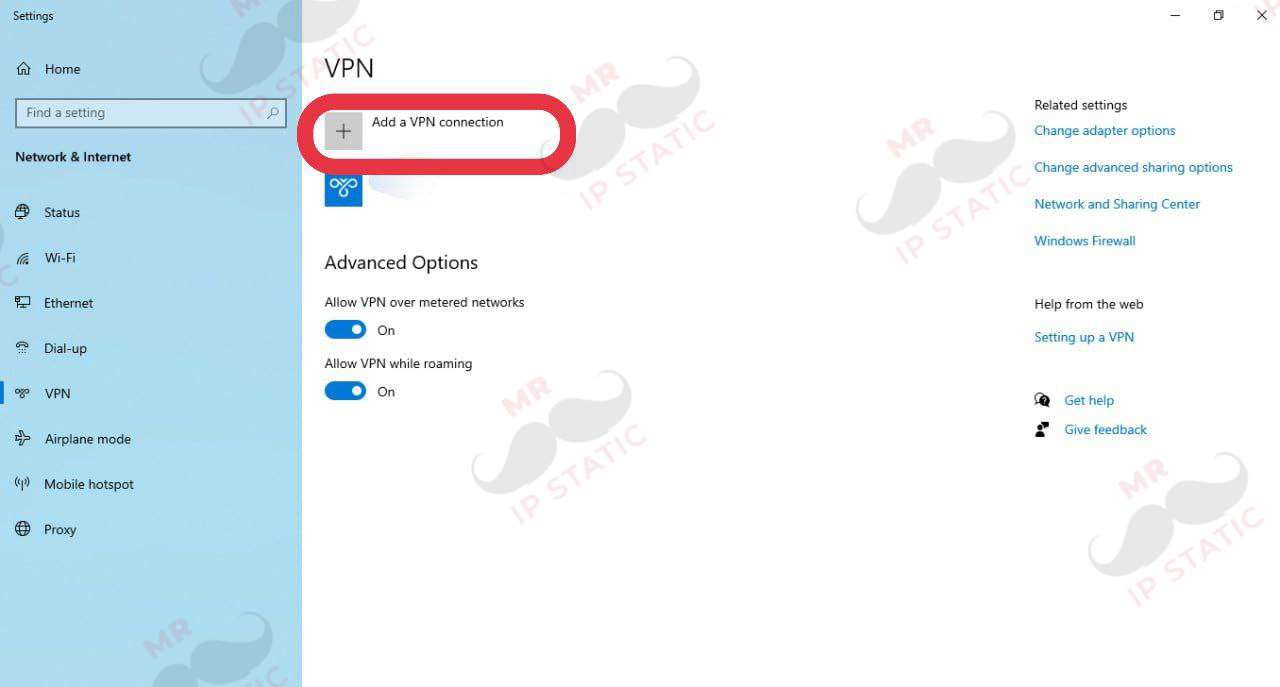
Select the Add VPN connection option.
1
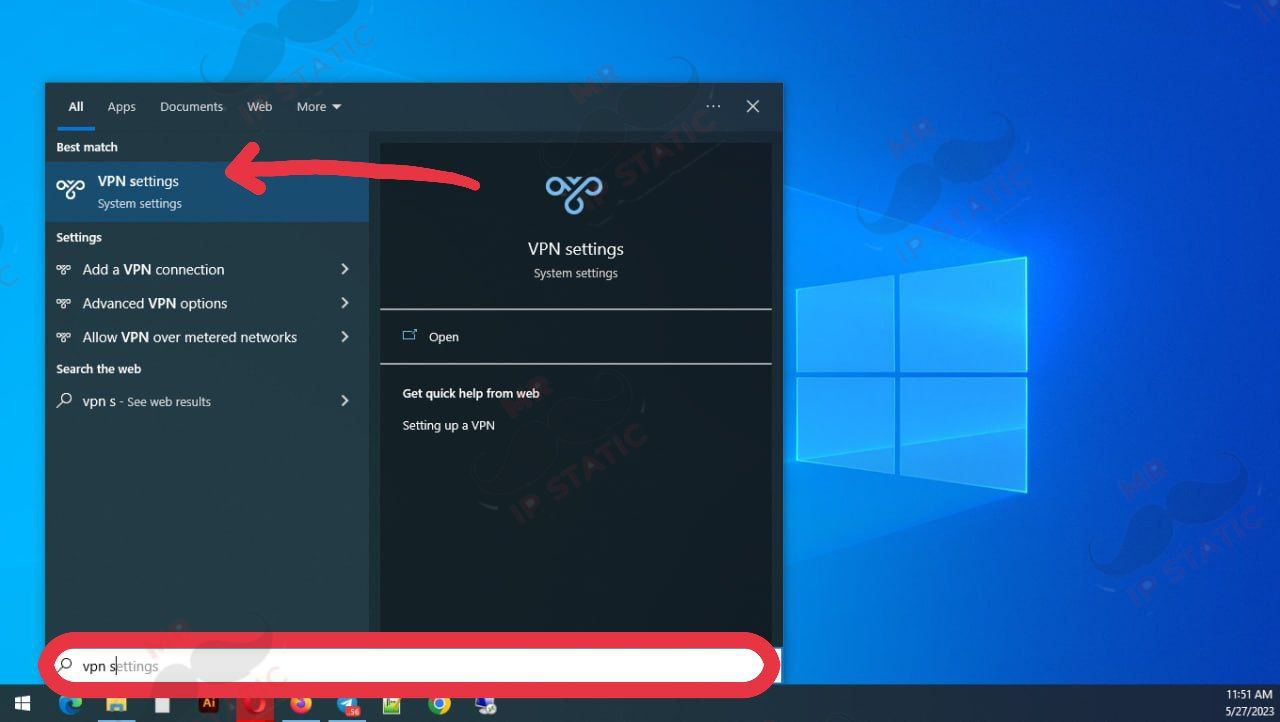
Search for and select VPN Settings in the Start menu.
4
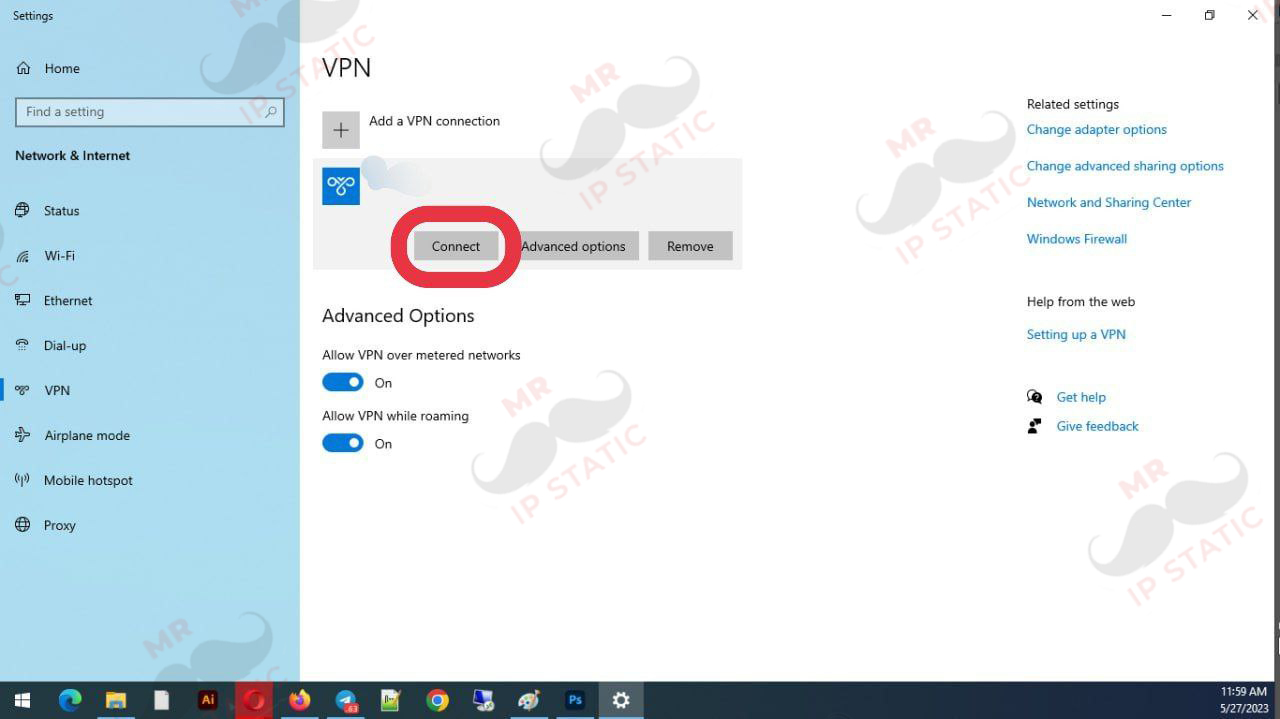
Select the created connection and select the Connect option to connect.
3
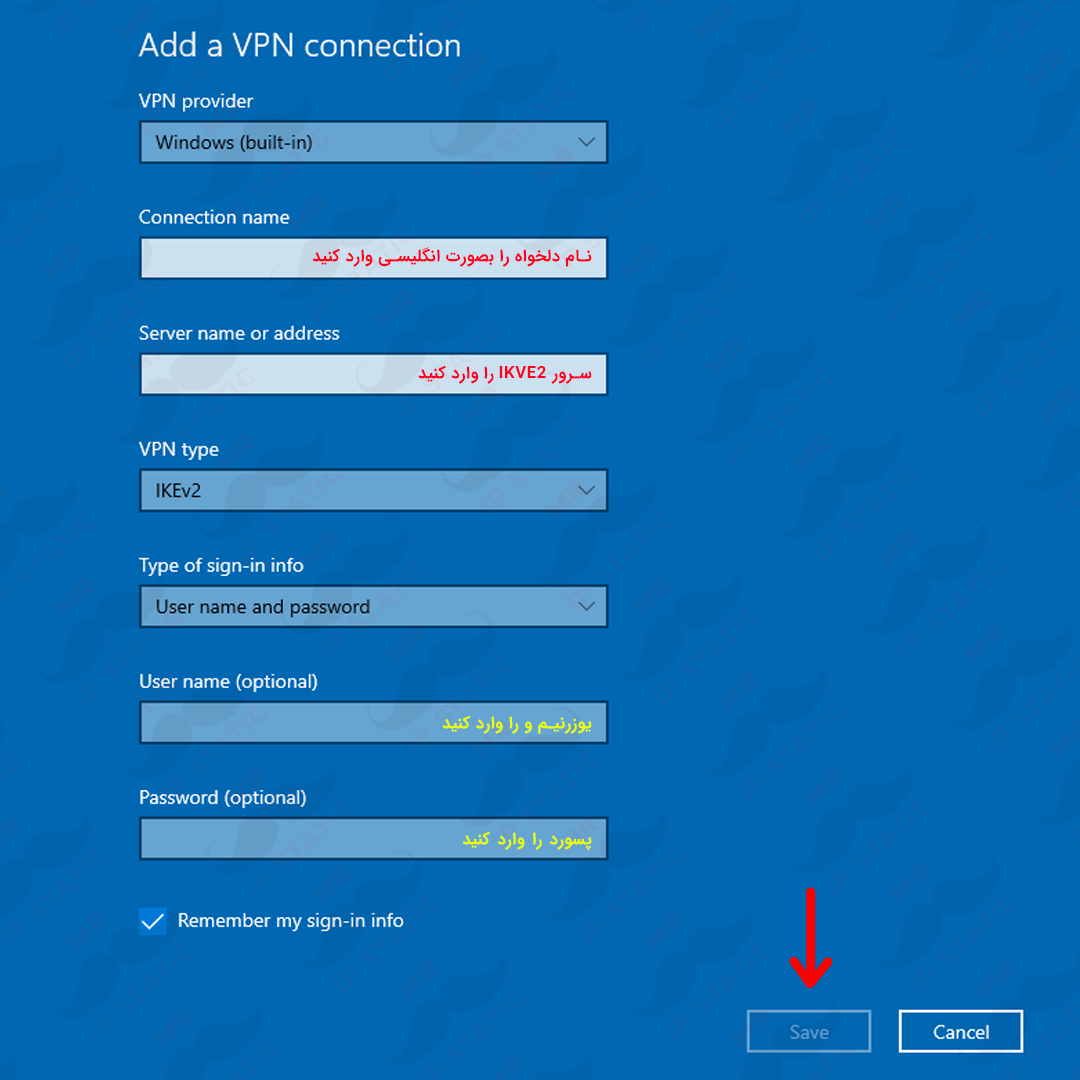
- VPN provider => windows
- Connection name => Custom name
- Server name => Enter the server address
- Username => The username you purchased
- Password => The password you received with your username
- Save