

How to connect V2Box to iPhone
2
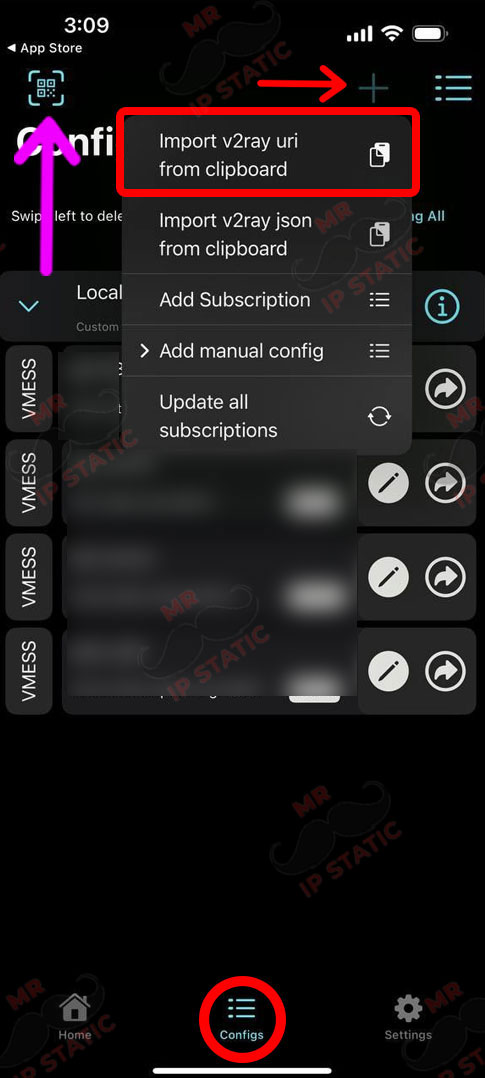
Go to the configs tab at the bottom of the page.
If you want to connect with a QR code, select the option on the top left, and if you want to connect with a code, copy the received code, click on the + option on the top right, and select the first option.
1
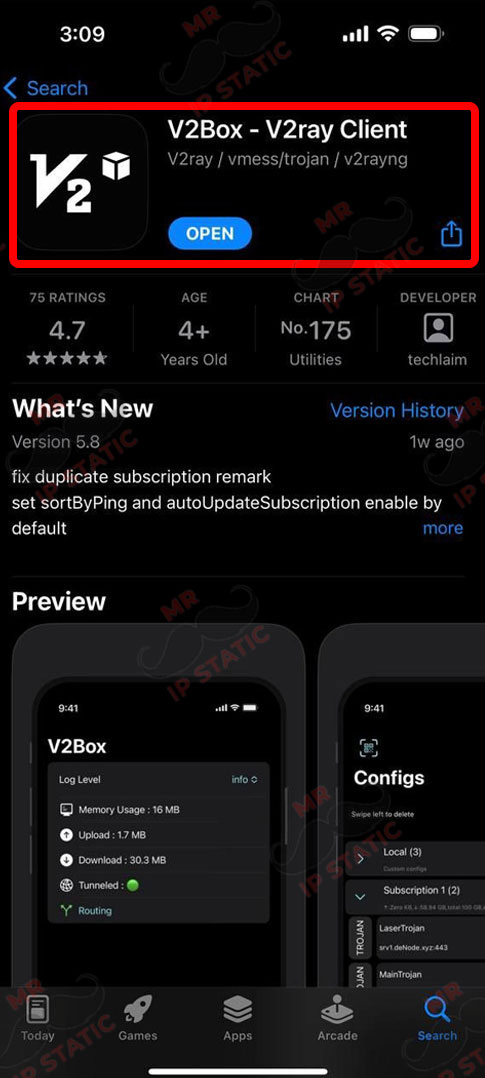
Install and run the V2Box app from the App Store.
3
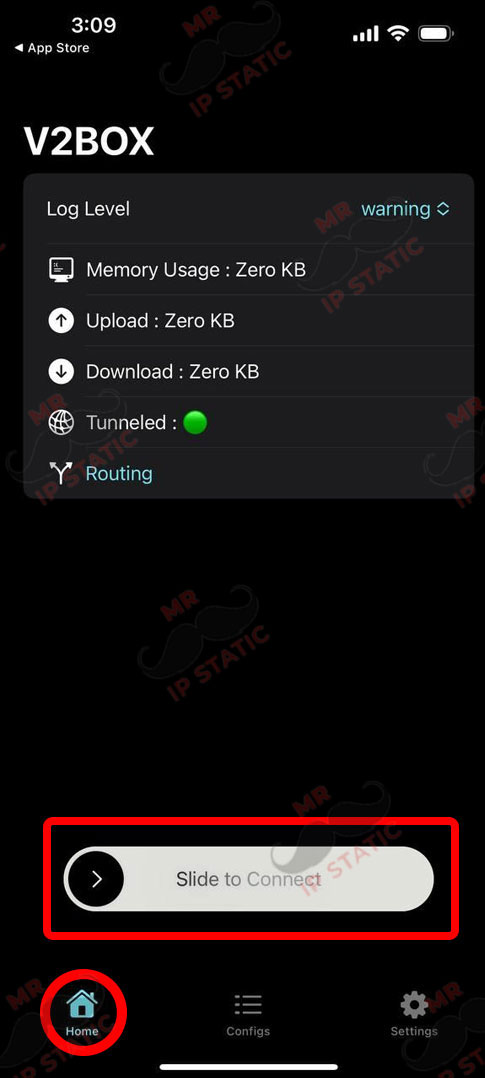
To connect, go to the Home tab at the bottom of the page and select the Slide to Connect option.