

How to connect L2TP to MacBook
3
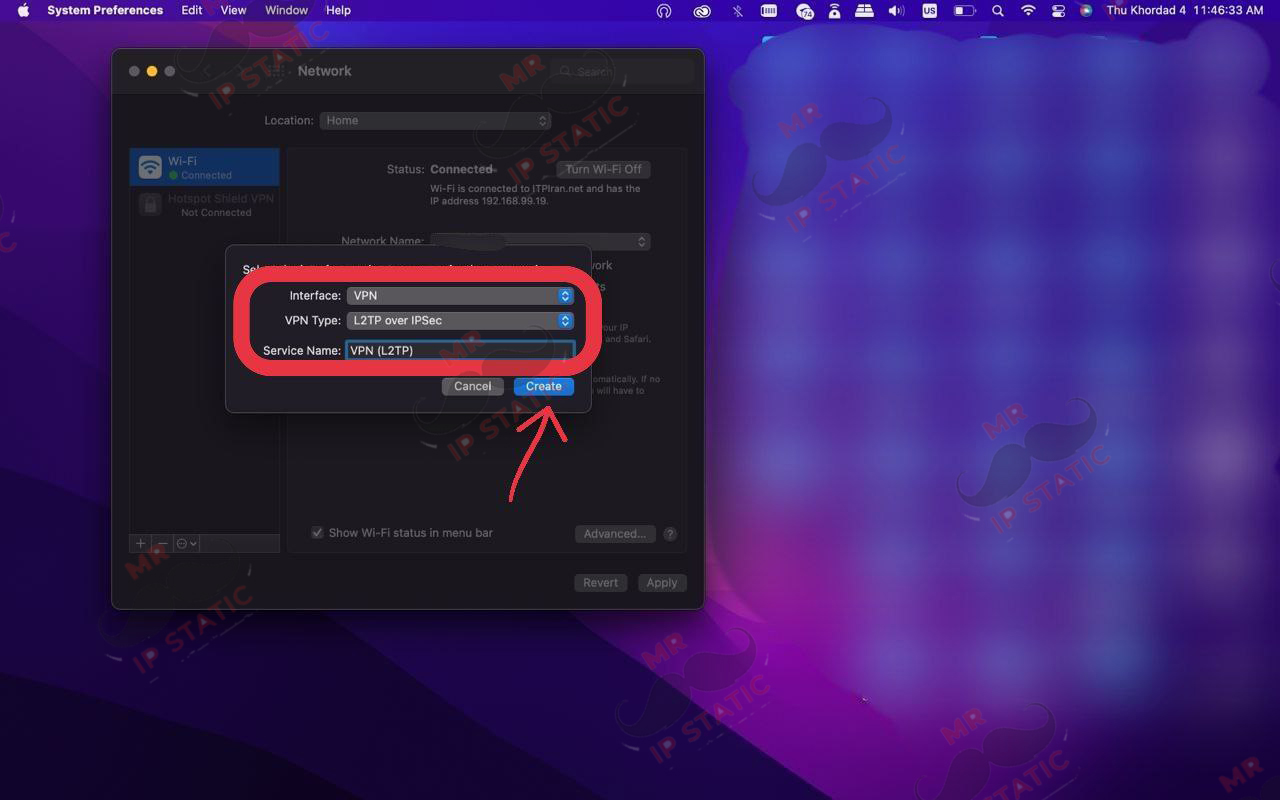
- interface: VPN
- VPN Type: L2TP over IPSec
- Service Name: Custom name
- Create
2
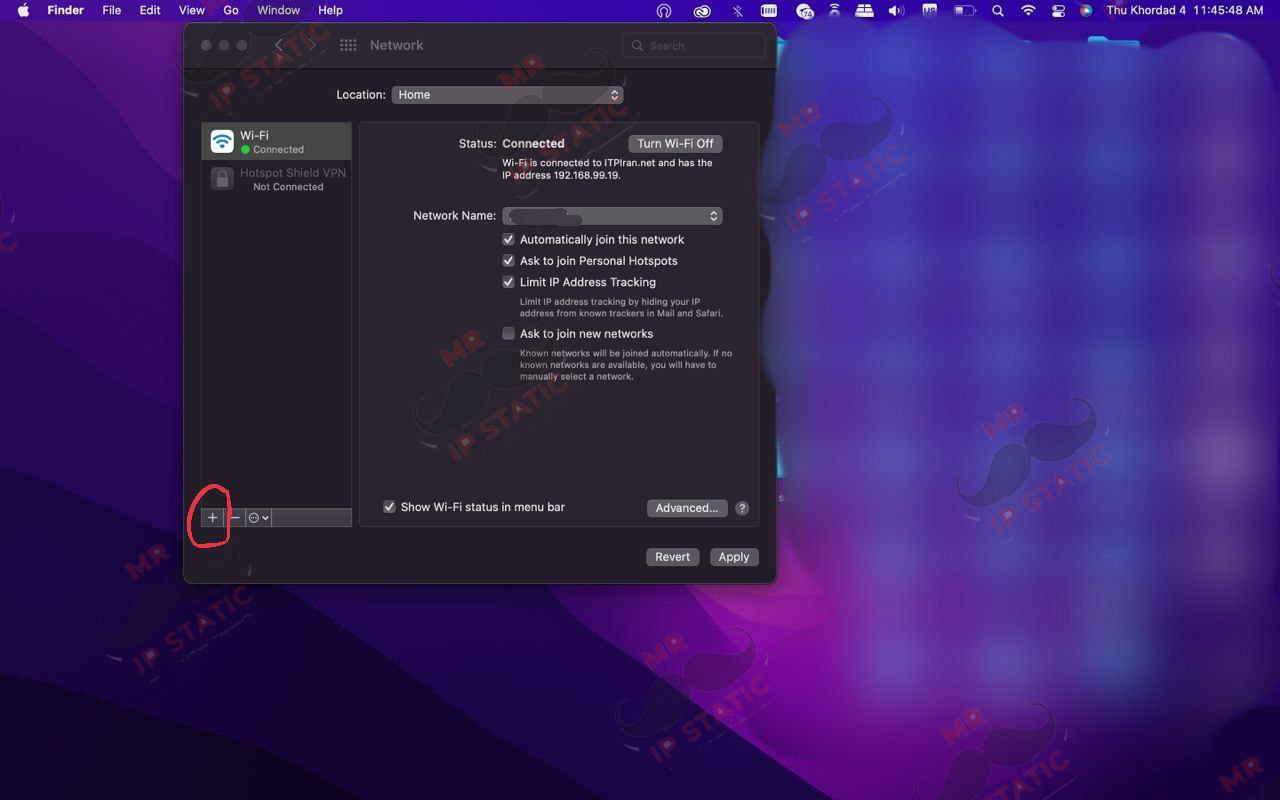
Select the + (Add Connection) option at the bottom left of the screen.
1

In the Wi-Fi menu, select Network Preferences.
6
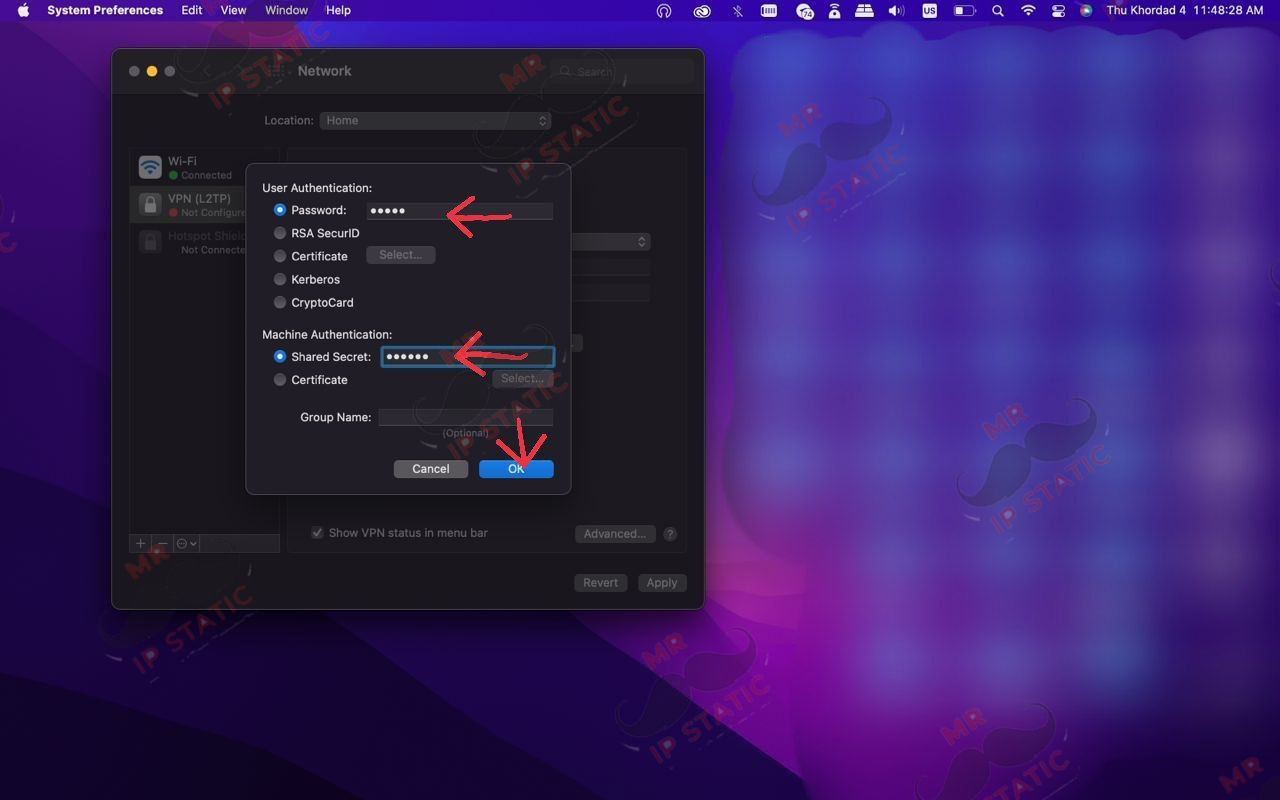
- Enter the password and shared secret as shown in the image.
- Shared Secret: 123456
- OK
5
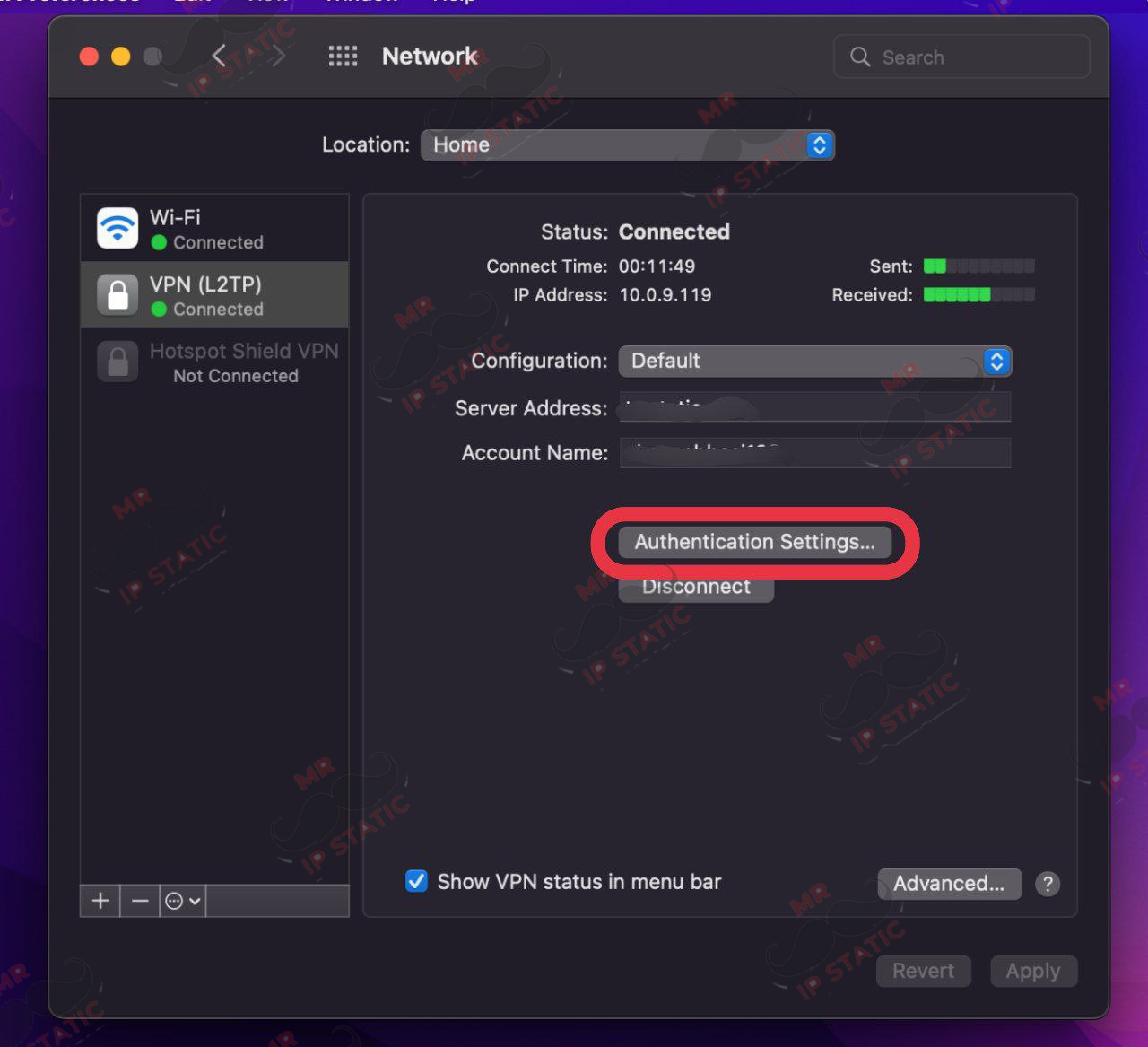
Go to Authentication Settings to set your password and shared key.
4
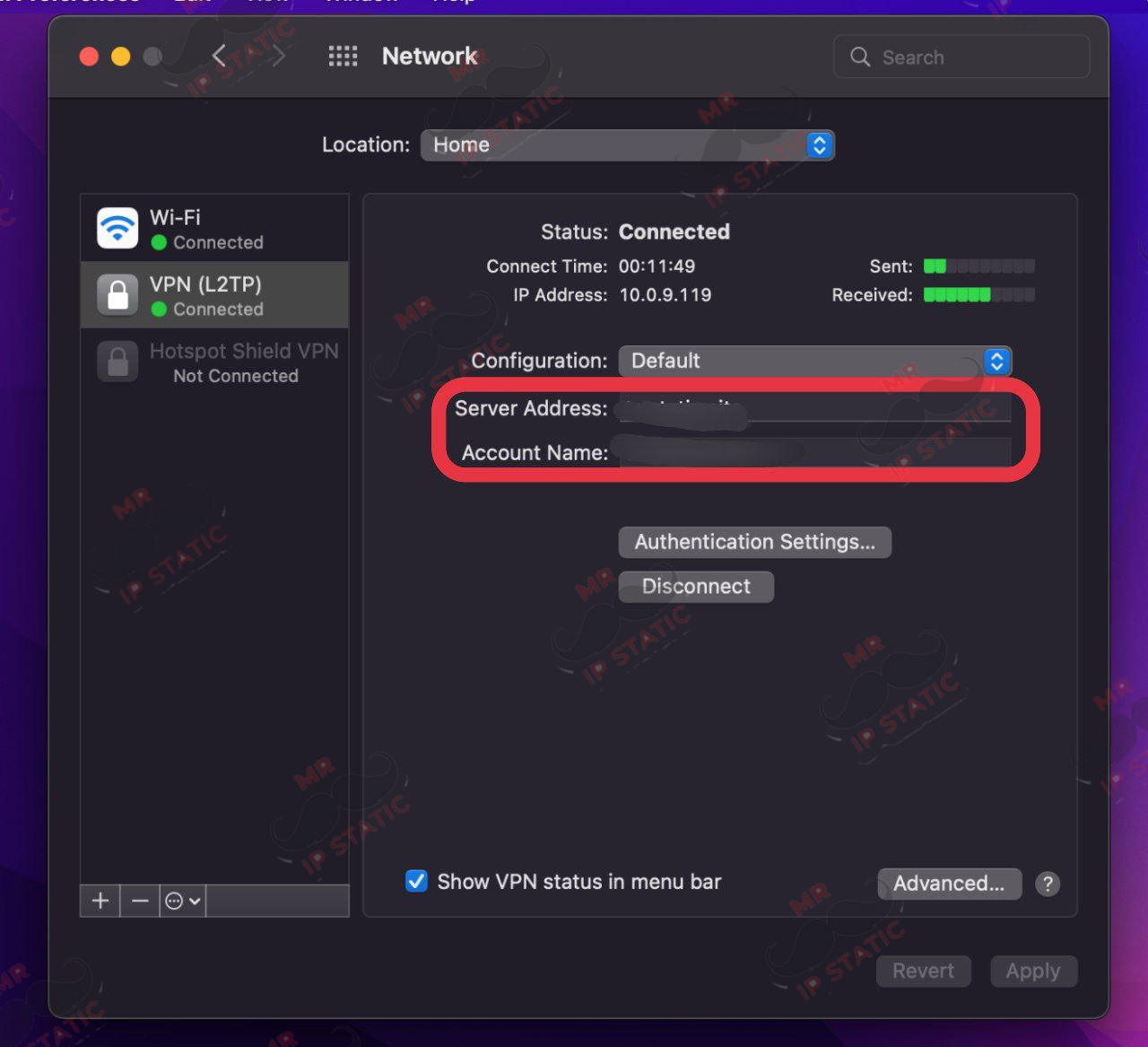
Enter your purchased incoming server in the Server Address section and enter your username in the Account Name section.
9
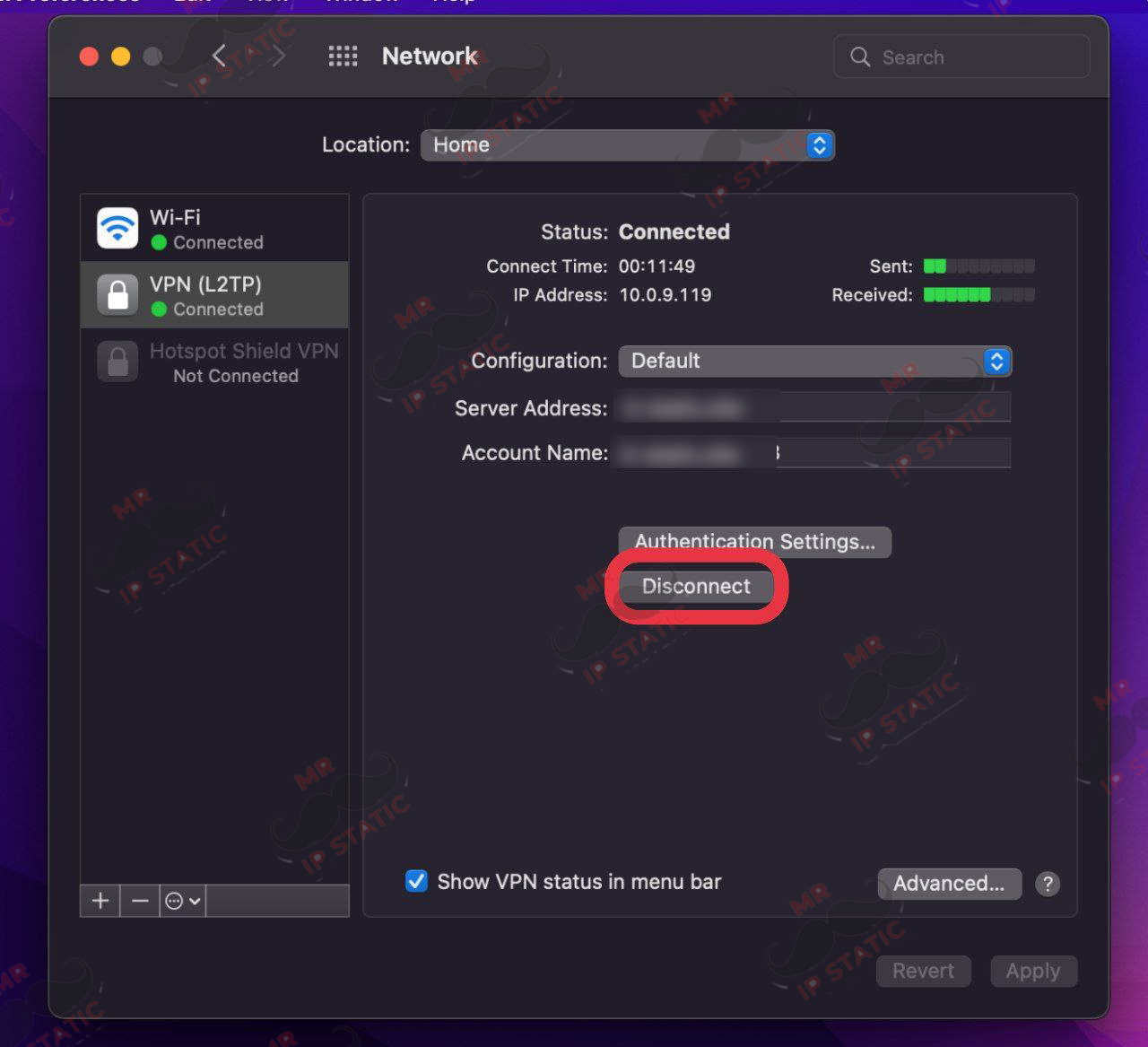
Click the Connect option as shown in the image above and connect.
8
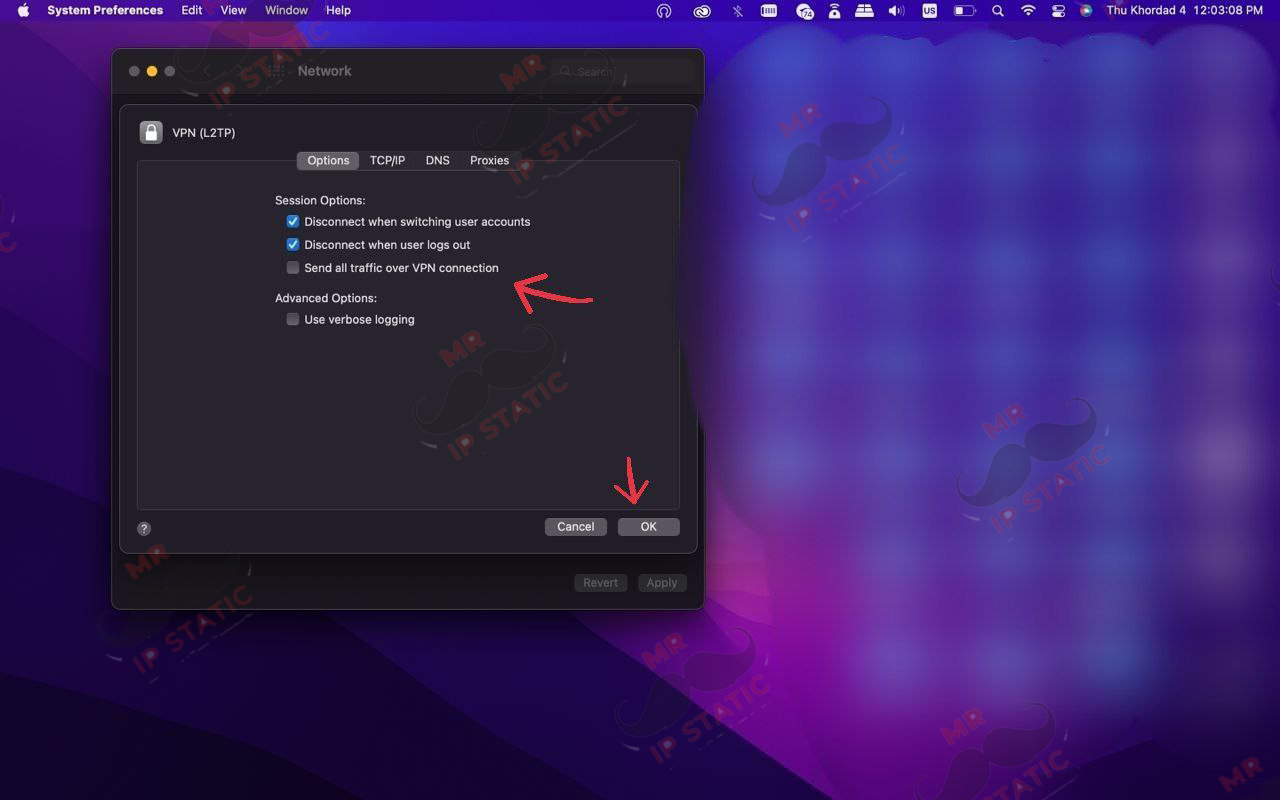
Enable the Send all traffic over VPN connection option and OK.
7
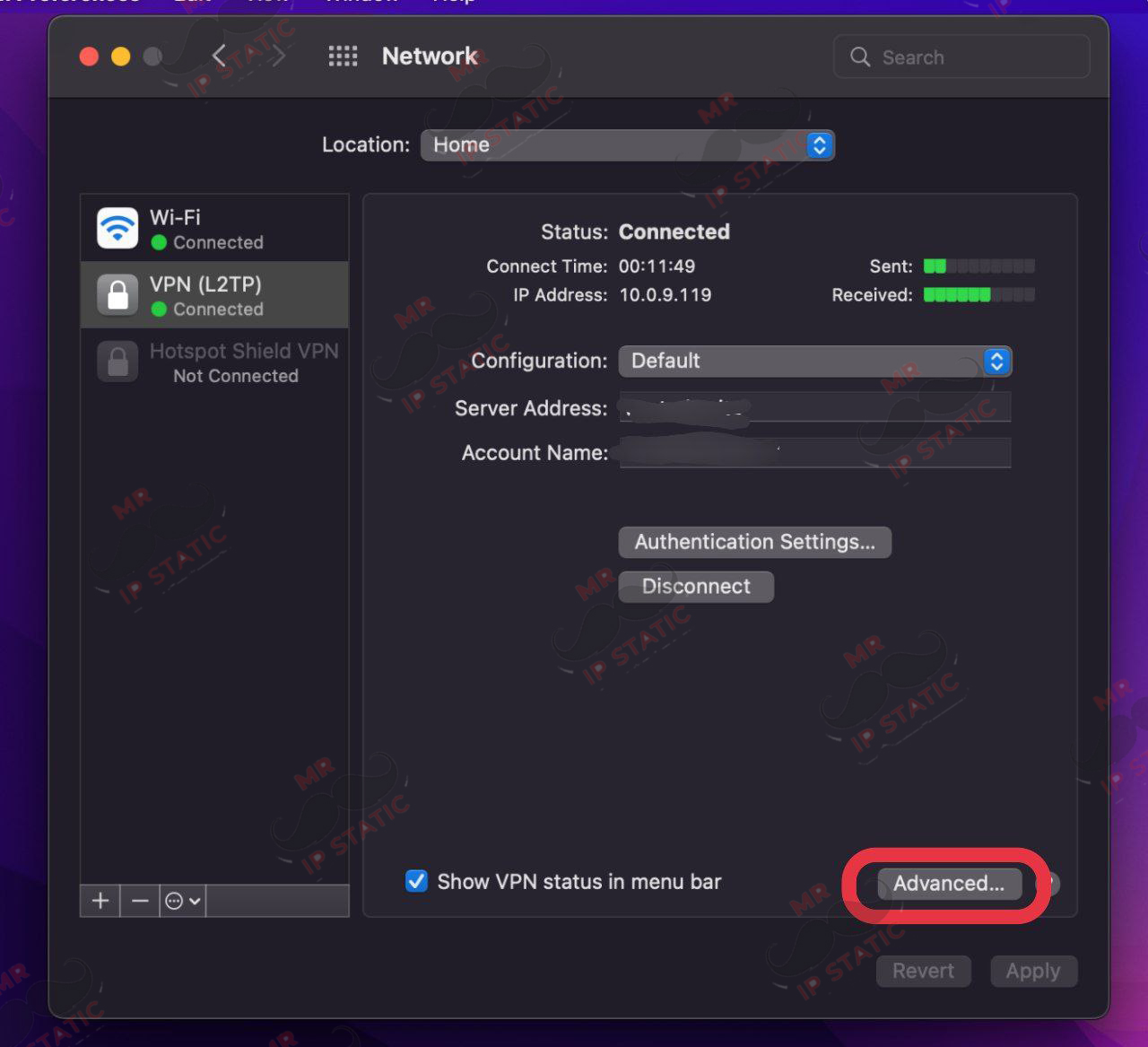
Log in to Advanced